Garage Door Dead After Outage? Fix LiftMaster Error 135
Garage door stopped working after a power outage with error 135 or “Force Detected”? Learn how we troubleshoot LiftMaster and Chamberlain openers and what you can safely try first.
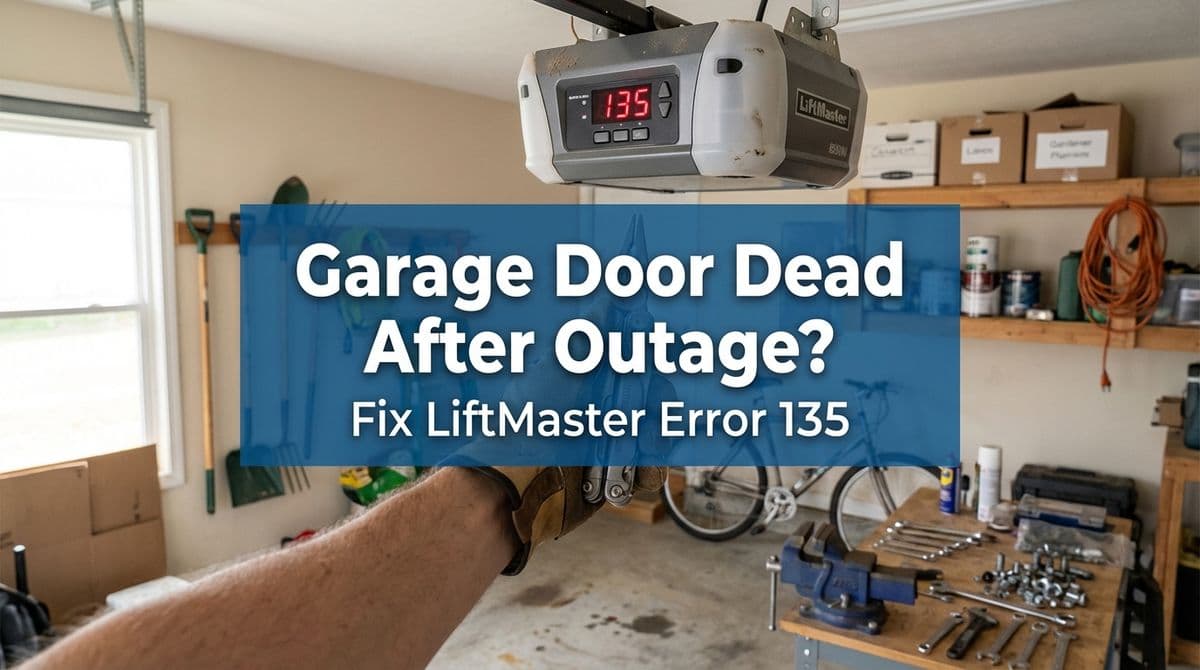
Garage Door Quit After a Power Outage? Here’s What We Saw
We recently got a call from a homeowner — let’s call him Mike — whose garage door stopped working right after a power failure. His LiftMaster/Chamberlain opener was flashing motor control error code 135, and when he pressed the wall button it briefly showed a “Force Detected” message, then just whirred and did nothing.
During the outage, Mike had pulled the red release cord and manually lifted the door so he could get out. When the power came back, the door re-engaged with the trolley, but the opener wouldn’t move it. It would hum for a moment, throw error 135, and shut itself down.
That call is a good example of what we often see after storms or neighborhood blackouts, especially on newer DC-powered LiftMaster and Chamberlain openers. So we’ll walk through how we think about this problem and what you can safely try before scheduling a service call.
What Error Code 135 and “Force Detected” Usually Mean
Many modern LiftMaster and Chamberlain openers (especially DC motor models from around 2016 and newer) have internal diagnostics. Error 135 typically points to a motor control problem, often related to:
- A travel module / RPM sensor not reading motor speed correctly
- A logic board that’s confused after a surge or interrupted cycle
- The opener “feeling” too much resistance and shutting down for safety
The brief “Force Detected” message is the opener’s way of saying, “Something feels too heavy, jammed, or unsafe to move, so we’re stopping.” That can be caused by a real mechanical problem, or by electronics misreading what’s happening after a power event.
First Things We Suggest Trying at Home
On that call, we told Mike the same thing we recommend to most homeowners before we come out: try a careful reset. Sometimes a power flicker leaves the logic board in a strange state.
1. Do a Full Power Reset (Longer Than You Think)
We asked Mike if he had tried unplugging the opener. He had, but only for about 30 seconds. Our suggestion:
- Unplug the garage door opener from the ceiling outlet.
- Leave it unplugged for at least 60 full seconds.
- While it’s unplugged, make sure the door itself is fully closed and sitting level on the ground.
- Plug the unit back in and wait for it to fully boot up.
In Mike’s case, a shorter reset had helped the trolley re-engage once, but the error kept returning. If a full minute reset doesn’t clear code 135, the opener is usually seeing a real issue.
2. Check the Door and Track for Obvious Problems
Before assuming electronics are bad, we always want homeowners to look at the door itself (without touching the springs or hardware):
- Make sure the door is on the tracks and not rubbing hard on one side.
- Look for bent tracks, loose rollers, or broken hinges.
- Verify nothing is blocking the door path (brooms, ladders, storage bins).
- Check that the photo-eyes near the floor are aligned, clean, and not knocked loose.
If the door is crooked, extremely heavy to lift by hand, or you see broken hardware, stop there and call a pro. A tight or binding door can cause the opener to read “Force Detected” and shut down.
When We Suspect the Travel Module / RPM Sensor
With Mike’s opener, the door had been working fine until the power failure. After manually operating it and reconnecting the trolley, the opener would only whir and then fault out with code 135. Based on the model and year he described, we explained that many of those units have a component on top of the DC motor called a travel module or RPM sensor.
This small module tells the logic board how fast and how far the motor is turning. If it can’t read correctly, the opener thinks the motor is stalled or overworking and it throws a motor control error. Power surges and interrupted cycles are a common trigger.
When we come out for this kind of issue, we typically:
- Verify the door moves smoothly by hand and is properly balanced
- Inspect wiring connections to the motor and travel module
- Test voltage and continuity where needed
- Run the opener in a controlled way while watching for error codes
If the door and hardware check out but code 135 persists, we often end up replacing the travel module or the logic board, depending on what we find.
Important Safety Notes Before You DIY
We’re all for homeowners doing basic checks, but there are a few lines we don’t want you to cross:
- Don’t adjust or remove torsion springs or bottom brackets — they are under high tension and can cause serious injury.
- Don’t open the motor housing and start unplugging boards unless you’re comfortable around electronics and understand the risks.
- If the door is hard to lift or slams down, stop using the opener and call a pro. The opener is not a lifting device; it’s designed for a balanced door.
If you’re ever unsure, it’s safer (and usually cheaper in the long run) to have us check it rather than risk damaging a board or the door.
After the Fix: Preventing Problems After Future Storms
Power outages and surges are rough on modern openers. Once we get a unit like Mike’s up and running again, we usually recommend a few simple preventive steps:
- Plug the opener into a quality surge protector rated for motor loads.
- After a major outage, avoid “riding” the opener up and down repeatedly; give it a chance to reset and cool if it seems confused.
- Once power is stable, run a quick open/close test and watch/listen for anything unusual.
- Have the door and opener professionally serviced every 1–2 years to keep things running smoothly.
FAQ: Common Questions About Error 135 & Force Detected
Can I keep using the opener if error 135 sometimes clears?
We don’t recommend it. If the opener is occasionally throwing a motor control or force error, something is either wearing out or misreading. Continuing to use it can finish off a weak component or mask a developing door problem.
Will a surge protector help prevent this?
A good surge protector can’t fix existing damage, but it can reduce the risk of future problems from voltage spikes. We like to see every opener plugged into a properly rated surge strip or dedicated surge outlet.
Does this apply to all LiftMaster/Chamberlain models?
Error 135 and “Force Detected” messages are most common on newer DC motor LiftMaster and Chamberlain openers with diagnostic displays (many installed from about 2015 onward). Older AC units may show different warning lights or behaviors. When in doubt, check the label on the opener head and the user manual for your exact model.
When It’s Time to Call a Pro
If you’ve tried a full power reset, confirmed nothing is obstructing the door, and your LiftMaster/Chamberlain opener still shows error 135 or “Force Detected”, it’s probably time for a visit. That’s where we came in for Mike — we scheduled a same-day appointment, inspected the door and opener, and took it from there.
Whether your garage door quit right after a storm or has been acting up for a while, we’re happy to troubleshoot, explain what we find, and get you back to a smooth, reliable open and close.